Brother DCP-J105
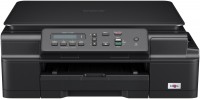 | Outdated Product Relatively inexpensive full-colour inkjet machine, primarily characterized by good performance and wide functionality. The main feature of this MFP is the high resolution of scanning and printing — the maximum quality when creating documents is 1200x6000 dpi, thanks to which even the production of photographs can be entrusted to printing equipment. The resolution of the scanner is at the level of 1200x2400 dpi, which can also be called one of the highest rates on the market among devices of this type. But the maximum speed of monochrome printing is 11 ppm, and full-colour printing is carried out at a speed of 6 ppm — a level below average. The Brother DCP-J105 MFP can be used both at home and as part of a small office. The multifunctional device is equipped with a Wi-Fi wireless module, wh...ile the technique can be used for direct printing and scanning of documents without a direct connection to a computer. So, for mobile printing and scanning, integration with services such as Google Cloud Print, Apple AirPrint and iPrint & Scan is provided. The control panel of the device is equipped with a monochrome one-line display. The MFP has 64 MB of RAM to improve performance. The print head of the printer consists of 4 cartridges, while the yield of black and white is 2400 pages, and each of the colour — 1300 pages. When used with Brother branded consumables, documents printed on the MFP will retain their original clarity for many years. E-Catalog uses affiliate links compensated by our partners. |








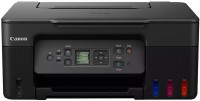

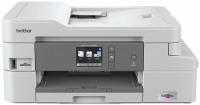
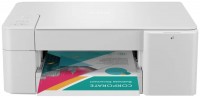
Relatively inexpensive full-colour inkjet machine, primarily characterized by good performance and wide functionality. The main feature of this MFP is the high resolution of scanning and printing — the maximum quality when creating documents is 1200x6000 dpi, thanks to which even the production of photographs can be entrusted to printing equipment. The resolution of the scanner is at the level of 1200x2400 dpi, which can also be called one of the highest rates on the market among devices of this type.
But the maximum speed of monochrome printing is 11 ppm, and full-colour printing is carried out at a speed of 6 ppm — a level below average. The Brother DCP-J105 MFP can be used both at home and as part of a small office. The multifunctional device is equipped with a Wi-Fi wireless module, while the technique can be used for direct printing and scanning of documents without a direct connection to a computer.
So, for mobile printing and scanning, integration with services such as Google Cloud Print, Apple AirPrint and iPrint & Scan is provided. The control panel of the device is equipped with a monochrome one-line display. The MFP has 64 MB of RAM to improve performance. The print head of the printer consists of 4 cartridges, while the yield of black and white is 2400 pages, and each of the colour — 1300 pages. When used with Brother branded consumables, documents printed on the MFP will retain their original clarity for many years.
|
| |||||||||||||||||||||||||||||||||||||||||||||||||||||||||||||||||||||||||||||||


Always clarify the specifications and configuration of the product with the online store manager before purchasing.
Catalog Brother 2026 - new arrivals, bestsellers, and the most relevant models Brother.