
Asus ROG Zephyrus M16 GU603HE [GU603HE-KR031T]
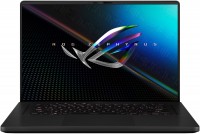 | Outdated Product ROG Zephyrusgaminglong life144 HzRAM upgradededicatedSSD M.2USB-C 40G (USB4)fast chargeWi-Fi 6backlightfingerprint scannergood sRGB Display:16 ", 1920x1200 (16:10) CPU:Core i7, 11800H, 2.3 GHz Graphics card:RTX 3050 Ti RAM:16 GB Storage:SSD M.2 NVMe, 1 TB Laptop weight:1.9 kg E-Catalog uses affiliate links compensated by our partners. |


We recommend products in stockLaptops Asus →
game, 15.6 ", matte, 1920x1080 (16:9), IPS, 240 Hz, Core i7, 11800H, 2.3 GHz, RAM 16 GB, DDR4, RTX 3060, SSD M.2 NVMe, 1 TB, Win 11 Home, USB-A 10Gbps, USB-C 10Gbps, USB-C 40G (USB4), Thunderbolt, Wi-Fi 6, VR, 3D face scanner, 2.1 kg
game, 15.6 ", matte, 1920x1080 (16:9), IPS, 144 Hz, Core i7, 11800H, 2.3 GHz, RAM 16 GB, DDR4, RTX 3050, SSD M.2 NVMe, 512 GB, Win 11 Home, USB-A 5Gbps, USB-C 5Gbps, Wi-Fi 6, 1.86 kg
game, 15.6 ", 1920x1080 (16:9), IPS, 144 Hz, Ryzen 7, 7735HS, 3.2 GHz, RAM 16 GB, DDR5, no RAM upgrade, RTX 4050, SSD M.2 NVMe, 512 GB, Win 11 Home, USB-A 5Gbps, USB-C 5Gbps, Wi-Fi 6, VR, long life, 1.8 kg
game, 15.6 ", matte, 1920x1080 (16:9), IPS, 144 Hz, Core i7, 11800H, 2.3 GHz, RAM 32 GB, DDR4, RTX 3050, SSD M.2 NVMe, 1 TB, Win 11 Home, USB-A 5Gbps, USB-C 5Gbps, Wi-Fi 6, 1.86 kg

game, 16 ", 2560x1600 (16:10), IPS, 165 Hz, Ryzen AI, 7 350, 2 GHz, RAM 32 GB, DDR5, RTX 5060, SSD M.2 NVMe, 1 TB, Win 11 Home, USB-A 5Gbps, USB-C 40G (USB4), Wi-Fi 6E, VR, fast charge, 3D face scanner, extreme battery life, 2 kg

game, 16 ", matte, 1920x1200 (16:10), IPS, Ryzen 7, 260, 3.8 GHz, RAM 32 GB, DDR5, no RAM upgrade, RTX 5060, SSD M.2 NVMe, 1 TB, Win 11 Home, USB-A 5Gbps, USB-A 10Gbps, USB-C 40G (USB4), Wi-Fi 6E, VR, long life, 2.1 kg

game, 16 ", 2560x1600 (16:10), IPS, 165 Hz, Ryzen AI, 7 350, 2 GHz, RAM 32 GB, DDR5, RTX 5070, SSD M.2 NVMe, 1 TB, Win 11 Home, USB-A 5Gbps, USB-C 40G (USB4), Wi-Fi 6E, VR, fast charge, 3D face scanner, extreme battery life, 2 kg
game, 15.6 ", matte, 1920x1080 (16:9), IPS, 144 Hz, Ryzen 7, 7735HS, 3.2 GHz, RAM 16 GB, DDR5, RTX 4050, SSD M.2 NVMe, 512 GB, Win 11 Home, USB-A 5Gbps, USB-C 10Gbps, Wi-Fi 6E, VR, 1.9 kg

game, 15.6 ", matte, 1920x1080 (16:9), IPS, 144 Hz, Ryzen 9, 270, 4 GHz, RAM 16 GB, DDR5, RTX 5060, SSD M.2 NVMe, 1 TB, Win 11 Home, USB-A 5Gbps, USB-C 5Gbps, Wi-Fi 6E, VR, 2.1 kg
Configurations Asus ROG Zephyrus M16 GU603HE 1
Specifications
Asus ROG Zephyrus M16 GU603HE [GU603HE-KR031T] | |||||||||||||||||||||||||||||||||||||||||||||||||||||||||||||||||||||||||||||||||||||||||||||||||||||||||||||||||||||||||||||||||||||||||||||||||||||||||||||||||||||||||||||||||||||||||||||||||||
|
| ||||||||||||||||||||||||||||||||||||||||||||||||||||||||||||||||||||||||||||||||||||||||||||||||||||||||||||||||||||||||||||||||||||||||||||||||||||||||||||||||||||||||||||||||||||||||||||||||||


The display supports Adaptive-Sync technology (eliminates the effect of tearing the frame and reduces display lag). The thermal interface of the processor in the laptop is liquid metal (Thermal Grizzly).
The information in the model description is for reference purposes.
Always clarify the specifications and configuration of the product with the online store manager before purchasing.
Catalog Asus 2026 - new arrivals, bestsellers, and the most relevant models Asus.
Always clarify the specifications and configuration of the product with the online store manager before purchasing.
Catalog Asus 2026 - new arrivals, bestsellers, and the most relevant models Asus.
Prices Asus ROG Zephyrus M16 GU603HE [GU603HE-KR031T]
This model is currently not available for sale.
Follow us for updates.
Follow us for updates.
Series Asus ROG Zephyrus (slim, gaming)
game, 16 ", 2560x1600 (16:10), OLED, 240 Hz, Core Ultra 9, 285H, 2.7 GHz, RAM 16 GB, LPDDR5X, RTX 5070, SSD M.2 NVMe, 1 TB, Win 11 Home, USB-A 10Gbps, USB-C 10Gbps, USB-C 40G (USB4), Thunderbolt, Wi-Fi 7, VR, fast charge, 3D face scanner, 1.95 kg
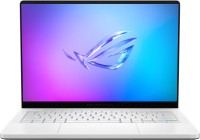
ultrabook, game, 14 ", 2880x1800 (16:10), OLED, 120 Hz, Ryzen 9, 270, 4 GHz, RAM 16 GB, LPDDR5X, RTX 5060, SSD M.2 NVMe, 1 TB, Win 11 Home, USB-A 10Gbps, USB-C 10Gbps, USB-C 40G (USB4), Wi-Fi 7, VR, fast charge, 3D face scanner, 1.5 kg

high performance, game, 16 ", 2560x1600 (16:10), OLED, 240 Hz, Core Ultra 9, 285H, 2.7 GHz, RAM 64 GB, LPDDR5X, RTX 5090, SSD M.2 NVMe, 2 TB, Win 11 Pro, USB-A 10Gbps, USB-C 10Gbps, USB-C 40G (USB4), Thunderbolt, Wi-Fi 7, VR, fast charge, 3D face scanner, 1.95 kg
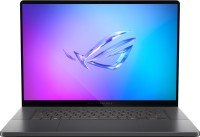
high performance, game, 16 ", 2560x1600 (16:10), OLED, 240 Hz, Core Ultra 9, 285H, 2.7 GHz, RAM 32 GB, LPDDR5X, RTX 5080, SSD M.2 NVMe, 2 TB, Win 11 Home, USB-A 10Gbps, USB-C 10Gbps, USB-C 40G (USB4), Thunderbolt, Wi-Fi 7, VR, fast charge, 3D face scanner, 1.95 kg
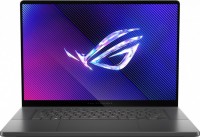
game, 16 ", 2560x1600 (16:10), OLED, 240 Hz, Core Ultra 9, 185H, 1.8 GHz, RAM 16 GB, LPDDR5X, RTX 4070, SSD M.2 NVMe, 1 TB, Win 11 Home, USB-A 10Gbps, USB-C 10Gbps, USB-C 40G (USB4), Thunderbolt, Wi-Fi 6E, VR, fast charge, 3D face scanner, 1.95 kg

high performance, game, 16 ", 2560x1600 (16:10), OLED, 240 Hz, Core Ultra 9, 285H, 2.7 GHz, RAM 32 GB, LPDDR5X, RTX 5070 Ti, SSD M.2 NVMe, 2 TB, Win 11 Pro, USB-A 10Gbps, USB-C 10Gbps, USB-C 40G (USB4), Thunderbolt, Wi-Fi 7, VR, fast charge, 3D face scanner, 1.95 kg
high performance, game, 16 ", 2560x1600 (16:10), OLED, 240 Hz, Core Ultra 9, 285H, 2.7 GHz, RAM 32 GB, LPDDR5X, RTX 5090, SSD M.2 NVMe, 2 TB, Win 11 Home, USB-A 10Gbps, USB-C 10Gbps, USB-C 40G (USB4), Thunderbolt, Wi-Fi 7, VR, fast charge, 3D face scanner, 1.95 kg
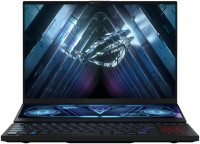
game, 16 ", 1920x1200 (16:10), IPS, 165 Hz, Ryzen 7, 6800H, 3.2 GHz, RAM 16 GB, DDR5, RTX 3060, SSD M.2 NVMe, 1 TB, Win 11 Home, USB-A 10Gbps, USB-C 10Gbps, Wi-Fi 6E, VR, fast charge, 3D face scanner, 2.5 kg
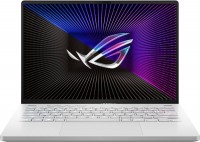
game, 14 ", 2560x1600 (16:10), IPS, 120 Hz, Ryzen 9, 6900HS, 3.3 GHz, RAM 32 GB, DDR5, no RAM upgrade, RX 6800S, SSD M.2 NVMe, 1 TB, Win 11 Pro, USB-A 10Gbps, USB-C 10Gbps, Wi-Fi 6E, fast charge, 3D face scanner, 1.65 kg

game, 14 ", 2560x1600 (16:10), miniLED, 165 Hz, Ryzen 9, 7940HS, 4 GHz, RAM 32 GB, DDR5, no RAM upgrade, RTX 4090, SSD M.2 NVMe, 1 TB, Win 11 Pro, USB-A 10Gbps, USB-C 10Gbps, USB-C 20Gbps, Wi-Fi 6E, VR, fast charge, 3D face scanner, 1.72 kg
game, 16 ", 2560x1600 (16:10), OLED, 240 Hz, Core Ultra 9, 285H, 2.7 GHz, RAM 32 GB, LPDDR5X, RTX 5070, SSD M.2 NVMe, 1 TB, Win 11 Home, USB-A 10Gbps, USB-C 10Gbps, USB-C 40G (USB4), Thunderbolt, Wi-Fi 7, VR, fast charge, 3D face scanner, 1.95 kg

high performance, game, 16 ", 2560x1600 (16:10), OLED, 240 Hz, Core Ultra 9, 285H, 2.7 GHz, RAM 64 GB, LPDDR5X, RTX 5080, SSD M.2 NVMe, 2 TB, Win 11 Pro, USB-A 10Gbps, USB-C 10Gbps, USB-C 40G (USB4), Thunderbolt, Wi-Fi 7, VR, fast charge, 3D face scanner, 1.95 kg
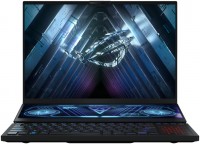
game, 16 ", 2560x1600 (16:10), miniLED, 165 Hz, Ryzen 9, 6900HX, 3.3 GHz, RAM 32 GB, DDR5, RTX 3070 Ti, SSD M.2 NVMe, 1 TB, Win 11 Pro, USB-A 10Gbps, USB-C 10Gbps, Wi-Fi 6E, VR, fast charge, 3D face scanner, 2.6 kg
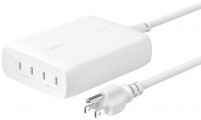
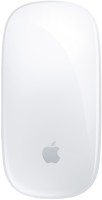
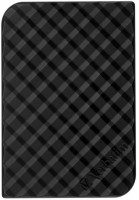
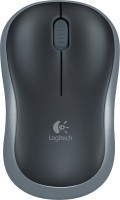
AccessoriesAll accessories for Asus GU603HE-KR031T →

- The battery lasts quite long, I was in a meeting for 3 hours with a presentation and still had 50% charge left. - It doesn’t hum when idle. - The 16:10 screen is convenient for working with text - at a 16" diagonal, it is as tall as a 17" 16:9, meaning the laptop is smaller but can display the same amount of text on the screen. -The Wi-Fi MT7921 constantly drops, and if it doesn't, the speed decreases to 1-3 Mbps after some hours of use. -The screen goes off for 3 seconds when connecting or disconnecting the power supply. The same happens with an external monitor. Couldn't configure it neither with Windows nor with the proprietary software. Seems not critical, but this shouldn't happen in a 150k laptop. -The external monitor connected via HDMI periodically disconnects after Windows locks, requiring it to be reconnected. -It constantly comes out of sleep mode when closed but doesn't go back to sleep by itself, draining the battery. -It drains the battery even when turned off (turned off the fully charged laptop on December 30th, took it out of the drawer on January 5th - the battery was dead). -The left speaker started to rattle after a month of use.  Andrey Smit: use Asus ROG Zephyrus M16 GU603HE few months Andrey Smit: use Asus ROG Zephyrus M16 GU603HE few months |
Add Review
- stepped away from your workstation and locked your computer? Be prepared to re-plug the HDMI cable when you return
- went to a meeting room with your laptop? Turn the Wi-Fi on and off, or sit without a network
- wanted to finish work tasks from home but left the power supply at work? Well, you'll work tomorrow because while you were traveling home, the laptop woke up in your bag and drained the battery
And the funniest part is that my personal laptop, which costs one-third less, doesn't have any of these issues and just works, even though it should be the other way around. I dealt with Asus laptops in the early 2010s - those laptops were always problematic, I thought something had changed in 10 years, but unfortunately not.
I can't comment on gaming performance, as I needed a laptop with a powerful processor for my tasks, and the graphics came as excess.