
Aerocool Cylon Mini white
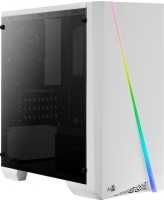 | Outdated Product Features: gaming; Form factor: Mini Tower; Mount: vertical; Motherboard support: micro-ATX; PSU form factor: ATX (regular); Dimensions (mm): 360x175x381; Weight (kg): 2.6; Material: steel; 3.5" bays: 2; internal 2.5" compartments: 3; Expansion slots: 4; Installed fans: Fans total: 1; Fans (back): 1x90mm E-Catalog uses affiliate links compensated by our partners. |


We recommend products in stockComputer Cases Aerocool →
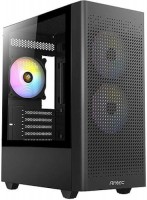
gaming, Mini Tower, micro-ATX, no PSU, front panel: USB-A 3 pcs, USB-C 1 pcs, fan backlight
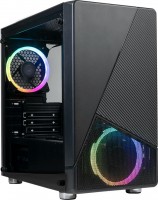
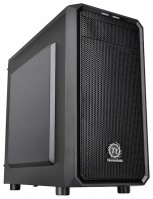
Aerocool Cylon Mini white
black
white
Chassis Form Factor:Mini Tower
Motherboard size:micro-ATX
PSU power:no PSU
Internal bays 3.5":2
Internal bays 2.5":3
Front panel:USB-A 2 pcs
All specifications
Specifications Cylon Mini WH
|
| ||||||||||||||||||||||||||||||||||||||||||||||||||||||||||||||||||||||||||||||||||||||||||||||||||


The information in the model description is for reference purposes.
Always clarify the specifications and configuration of the product with the online store manager before purchasing.
Catalog Aerocool 2026 - new arrivals, bestsellers, and the most relevant models Aerocool.
Always clarify the specifications and configuration of the product with the online store manager before purchasing.
Catalog Aerocool 2026 - new arrivals, bestsellers, and the most relevant models Aerocool.

How to choose a PC case?Basic factors for choosing a stylish computer case with good functionality and efficiency
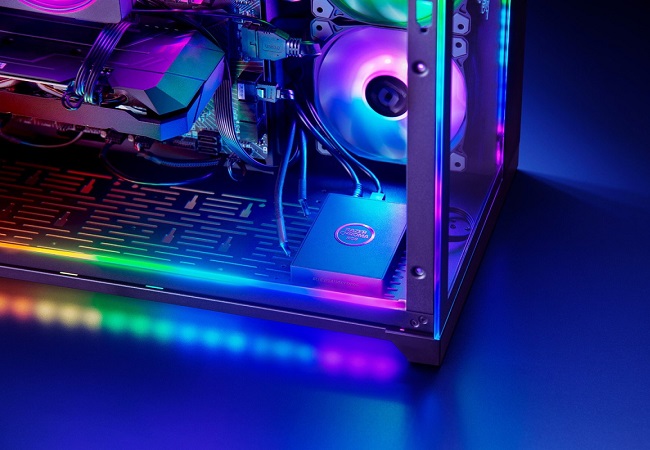
Shine Bright: Everything You Ever Wanted to Know About PC RGB LightingWe understand how the backlight appeared in the PC, how it is useful, and what synchronization systems are on the market
AccessoriesAll accessories for Aerocool Cylon Mini WH →
5 2 4 3 |
Beautiful lighting, spacious, and assembling it even in a mini case was no problem. The glass doesn't scratch or smudge easily, 600W PSU, powerful GPU, the motherboard fit perfectly, and the airflow inside is decent. Spacious. No problem  Vendet: use Aerocool Cylon Mini WH few months Vendet: use Aerocool Cylon Mini WH few months |
I will write a review with an objective opinion, because half of the negative reviews are formed due to laziness/stupidity of people (The case really has assembly nuances that you will definitely encounter and get to know. Everyone will have their own. But they will arise if you are a pedant and want ideal cable management/blowing and quiet operation). Before buying, measure all your hardware, the length of the wires on the power supply, the width/height/thickness of the CPU cooler (if there is a wide bag, you will have to remove the fan for blowing out, keep this in mind, without blowing in/out it will be hot, it is better to buy a tower, because a flat cooler will dissipate air both up and to the right, be sure to throw in some air, you may have to make gaskets from double-sided soft tape under the coolers for blowing out/blowing in order to reduce noise, but the case is not the noisiest and not the thinnest), video cards. Obvious things, but still. Be sure to remove the front cover, without this you will write that it is impossible to do management. There are a lot of holes in the case through which you can run wires. Reviews with dissatisfaction with the metal can be understood, but everything is not so bad, the holes do not lick off as terribly as they write, if you twist normally and do not install / remove the video card / power supply / cooler 10 times. I agree about acrylic, it scratches if you slightly scratch it with something, so be careful when you wash it, take only a detergent and a napkin for office equipment, because you can scratch / rub / leave lint on the surface, wiping with a T-shirt or rag. Glass does not rattle, if ... see Advantages ..the glass doesn't rattle if you press it to the top of the case and screw it tightly. It's good, there's no better design for this price, I took the white one, I'll take the black one for the second PC. If you think with your head before buying, and figure out how to throw it in before assembling, you'll assemble it without mats and partitions. I put "good" because the case is not the easiest for clean assembly, you need to think about cooling for it, perhaps by buying the case first, and then the fans. Acrylic is easily soiled, but this is not a problem if you hit your guests on their scabby hands before they start poking their fingers with the phrase "oh, this is a computer, oh my" use Aerocool Cylon Mini BL few months |
Everyone says that the glass rattles, but maybe it's just that I got a good case. Rainbow and its adjustment Side glass Field filters The material feels like plastic. For that price, more fans could have been included. Vlad Arslanov: use Aerocool Cylon Mini BL few months |
3 out of 14 user review(s) shown
10 more user review(s)
Video reviews

LBC#28 - Aerocool Cylon Mini - £400 gaming PC (Late 2018-spec)
21 February 2019108 785 view

AeroCool Cylon Mini Tower Case - 13 Lighting Modes
1 February 201915 095 view