
Gigabyte G5 GD
 |






| This model is out of stock |
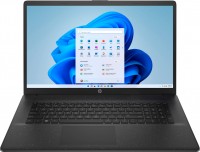
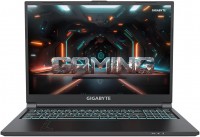
A line of gaming laptops based on Intel Core i5 processors and junior GeForce graphics cards from the NVIDIA Ampere family. They are part of the 2022 Gigabyte Gaming lineup, whose products stand out for their high-quality balance between price, performance and additional features. They belong to the middle price segment, and are designed for experienced gamers who expect to get from 45 to 60 frames per second in the "1080p + medium graphics settings" mode in most gaming blockbusters and do not plan to overpay for more powerful hardware.
The Gigabyte G5 MD is powered by a 12-thread Intel Core i5 processor from the Tiger Lake family (11th generation). In conjunction with the processor, the GeForce RTX 3050 graphics card is working, which supports all the technical developments of the NVIDIA Ampere series, including hardware ray tracing and DLSS artificial scaling technology. 16 GB of DDR4-3200 RAM and a modern high-speed 512 GB SSD drive provide high response speed.
As is often the case with good gaming laptops, the manufacturer left the second RAM slot and an additional M.2 slot free, so the user can upgrade the memory if necessary. All Gigabyte G5 GD devices use gaming-standard 15.6-inch IPS displays with 1080p resolution, anti-glare coating and 144Hz refresh rate, which has gradually become the new gaming standard, for displaying images. Other noteworthy things include a comfortable RGB backlit keyboard, efficient Windforce cooling system, Wi-Fi 6 network controller, built-in card reader, large battery, and modern USB-C ports with advanced usage scenarios.






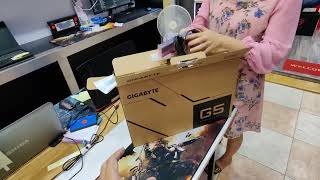
















Flow Rate, screen, software, cooling system. Speakers, hinges, slight lack of video memory.  SUPER IGROMAN: use Gigabyte G5 GD less than month SUPER IGROMAN: use Gigabyte G5 GD less than month |
Guys, heads up for everyone. If you've bought it and the BIOS is version F4, congratulations, you might have some serious issues. You'll experience severe overheating and the CPU frequency dropping from 4.2 GHz to 400 MHz in games, etc. Those who've experienced it will know what I mean. The problem can be fixed in just 5 minutes, no need to return it to the service center, etc., I returned mine, they replaced the motherboard, and it didn't help. Go to the official website of the model, download the F3 version of the BIOS, and install it as per the instructions—it's all clear, just 3 clicks and done. The problem completely disappears, and you'll have excellent hardware in your hands. I wrote to Gigabyte support, they couldn't help, but I found the solution on a foreign forum. In short, someone from the BIOS developers made a mistake, and a very high voltage is applied to the processor in BIOS versions above F3. Hardware, screen, sound. It does get rather warm, seriously, but tolerable with a stand, no throttling at all, and excellent, after all, it's a laptop.  Sasha Grebennikov: use Gigabyte G5 GD few months Sasha Grebennikov: use Gigabyte G5 GD few months |
GTA5 - on ultra 1920*1080 70-80 fps = "entertainment" mode
Unturned - on ultra 1920*1080 90-100 fps = "entertainment" mode and 40-60 fps = "quiet" mode
RDR 2 - slightly below ultra 1920*1080 50-70 fps = "entertainment" mode
CS:GO - ultra 1920*1080 130-150 fps = "entertainment" mode
Genshin Impact - ultra 1920*1080 60 fps (the game doesn't support more) = "entertainment" mode
All games listed, except RDR 2 (not tested, but I think it should handle it), can be recorded with OBS at 1920*1080 in 80k bitrate.
Conclusion: The laptop is quite suitable for gamers and those who create content for YouTube; I believe the power reserve will last for 4-5 years. Running new releases on ultra or high settings will be no problem. I haven't encountered overheating; the maximum temperature reached was 80 degrees (though its limit is 94), and during games, it averages 70-75 degrees. The casing is simple, fairly solid, and doesn't bend under pressure.
Whether to buy it or not is your decision. For me, it's a top choice!