
Acer Aspire 7 A715-75G [A715-75G-77DE] (NH.Q87ER.003)
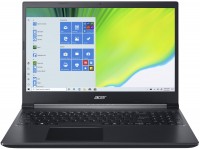 | Outdated Product Display:15.6 ", 1920x1080 (16:9) CPU:Core i7, 9750H, 2.6 GHz Graphics card:GTX 1650 RAM:8 GB Storage:SSD M.2, 512 GB Laptop weight:2.2 kg E-Catalog uses affiliate links compensated by our partners. |


We recommend products in stockLaptops Acer →

game, 15.6 ", 1920x1080 (16:9), IPS, 144 Hz, Core i5, 11400H, 2.7 GHz, RAM 8 GB, DDR4, RTX 2050, SSD M.2 NVMe, 512 GB, Win 11 Home, USB-A 5Gbps, USB-C 40G (USB4), Thunderbolt, Wi-Fi 6, fast charge, 2.3 kg

game, 16 ", 1920x1200 (16:10), IPS, 144 Hz, Ryzen 7, 7445HS, 3.55 GHz, RAM 16 GB, DDR5, RTX 4050, SSD M.2 NVMe, 512 GB, Win 11 Home, USB-A 5Gbps, USB-C 10Gbps, USB-C 20Gbps, Wi-Fi 6, VR, fast charge, 2.3 kg
game, 15.6 ", 1920x1080 (16:9), IPS, 144 Hz, Ryzen 5, 7535HS, 3.3 GHz, RAM 16 GB, DDR5, RTX 3050, SSD M.2 NVMe, 512 GB, Win 11 Home, USB-A 5Gbps, USB-C 10Gbps, Wi-Fi 6, fast charge, 2.3 kg
game, 15.6 ", 1920x1080 (16:9), IPS, Core i7, 8750H, 2.2 GHz, RAM 8 GB, DDR4, GTX 1050 Ti, HDD+SSD M.2, 1 TB, Win 10 Home, USB-A 5Gbps, 2.3 kg
game, 15.6 ", 1920x1080 (16:9), IPS, 144 Hz, Ryzen 5, 7535HS, 3.3 GHz, RAM 8 GB, DDR5, RX 6550M, SSD M.2 NVMe, 512 GB, Win 11 Home, USB-A 5Gbps, USB-C 5Gbps, Wi-Fi 6, fast charge, 2.29 kg
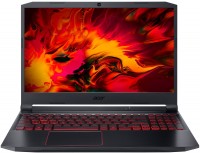
game, 15.6 ", matte, 1920x1080 (16:9), IPS, Ryzen 5, 4600H, 3 GHz, RAM 8 GB, DDR4, GTX 1650, SSD M.2, Win 10 Home, USB-A 5Gbps, USB-A 10Gbps, USB-C 10Gbps, Wi-Fi 6, long life, 2.4 kg
game, 15.6 ", 1920x1080 (16:9), IPS, 144 Hz, Ryzen 5, 8640HS, 3.5 GHz, RAM 8 GB, DDR5, RTX 4050, SSD M.2 NVMe, 512 GB, Win 11 Home, USB-A 5Gbps, USB-C 5Gbps, Wi-Fi 6, VR, fast charge, 2.29 kg
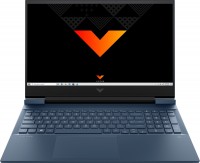
game, 16.1 ", 1920x1080 (16:9), IPS, Core i5, 11400H, 2.7 GHz, RAM 8 GB, DDR4, RTX 3050, SSD M.2 NVMe, 256 GB, Win 10 Home, USB-A 5Gbps, USB-C 5Gbps, fast charge, 2.48 kg
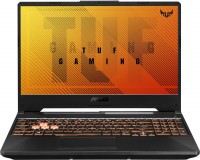
game, 15.6 ", matte, 1920x1080 (16:9), IPS, 144 Hz, Ryzen 5, 4600H, 3 GHz, RAM 8 GB, DDR4, GTX 1650, SSD M.2 NVMe, 512 GB, Win 10 Home, USB-A 5Gbps, USB-C 10Gbps, 2.3 kg
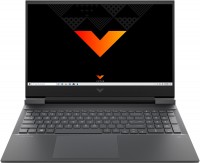
game, 16.1 ", 1920x1080 (16:9), IPS, Ryzen 5, 5600H, 3.3 GHz, RAM 8 GB, DDR4, RTX 3050, SSD M.2 NVMe, 512 GB, Win 10 Home, USB-A 5Gbps, USB-C 5Gbps, Wi-Fi 6, fast charge, 2.48 kg
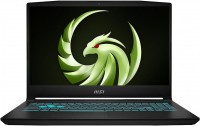
game, 15.6 ", matte, 1920x1080 (16:9), IPS, 144 Hz, Ryzen 5, 7535HS, 3.3 GHz, RAM 16 GB, DDR5, RTX 4050, SSD M.2 NVMe, 512 GB, Win 11 Home, USB-A 5Gbps, USB-C 10Gbps, Wi-Fi 6E, VR, 2.25 kg
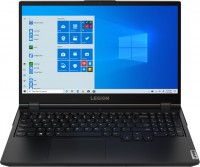
game, 15.6 ", 1920x1080 (16:9), IPS, 120 Hz, Core i5, 10500H, 2.5 GHz, RAM 16 GB, DDR4, RTX 3050 Ti, SSD M.2 NVMe, 512 GB, without OS, USB-A 5Gbps, USB-C 5Gbps, Wi-Fi 6, fast charge, 2.3 kg
Configurations Acer Aspire 7 A715-75G 14
Specifications
Acer Aspire 7 A715-75G [A715-75G-77DE] | |||||||||||||||||||||||||||||||||||||||||||||||||||||||||||||||||||||||||||||||||||||||||||||||||||||||||||||||||||||||||||||||||||||||||||||||||||||||||||||||||||||||||||||||||
|
| ||||||||||||||||||||||||||||||||||||||||||||||||||||||||||||||||||||||||||||||||||||||||||||||||||||||||||||||||||||||||||||||||||||||||||||||||||||||||||||||||||||||||||||||||


The information in the model description is for reference purposes.
Always clarify the specifications and configuration of the product with the online store manager before purchasing.
Catalog Acer 2026 - new arrivals, bestsellers, and the most relevant models Acer.
Always clarify the specifications and configuration of the product with the online store manager before purchasing.
Catalog Acer 2026 - new arrivals, bestsellers, and the most relevant models Acer.
Prices Acer Aspire 7 A715-75G [A715-75G-77DE]
This model is currently not available for sale.
Follow us for updates.
Follow us for updates.
Series Acer Aspire (mid-range)
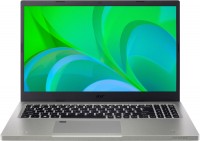
15.6 ", matte, 1920x1080 (16:9), IPS, Core i7, 1195G7, 2.9 GHz, RAM 16 GB, DDR4, no RAM upgrade, Iris Xe Graphics G7 96EUs, SSD M.2 NVMe, 512 GB, Win 11 Home, USB-A 5Gbps, USB-C 5Gbps, Wi-Fi 6, fingerprint scanner, long life, 1.8 kg
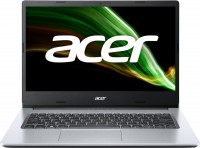
14 ", 1920x1080 (16:9), IPS, Pentium, N6000, 1.1 GHz, RAM 4 GB, DDR4, UHD Graphics, SSD+eMMC, 256 GB, Win 11 Home (S mode), USB-A 5Gbps, 1.5 kg
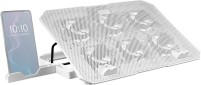
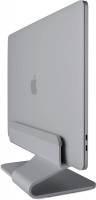
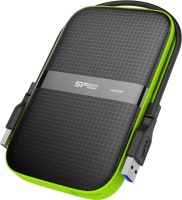
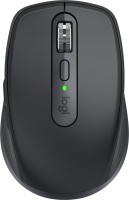
AccessoriesAll accessories for Acer A715-75G-77DE →



Model overview based on user reviews
The Acer Aspire 7 A715-75G is a powerful laptop featuring an i7-9750H processor, which offers significant performance improvements over its predecessor. It comes with an IPS matrix display, providing a better visual experience compared to TN+Film screens. The laptop's sturdy plastic body resists fingerprints and maintains a compact and lightweight design, weighing 2.15 kg. It includes a GTX 1650Ti Mobile GPU, comparable to the GTX 1060 Mobile, and supports 2666 MHz RAM, although it initially comes with one 8 GB stick. Users appreciate its long-lasting battery and the ability to open it with one hand. However, the SSD is considered average, prompting some to upgrade to a Samsung 970 EVO. The charging port's placement may inconvenience right-handed users. Additionally, the keyboard backlight requires a BIOS update to prevent it from turning off automatically. Despite some noise issues, the laptop is well-received for its overall performance and features.
Pros
Cons
i7-9750H (really more powerful than the i7-8750H, no matter what anyone says). IPS matrix (not sure about others, but after TN+Film my eyes “thank me”!). The body is plastic, but sturdy, nothing bends or creaks. The body hardly collects fingerprints. GTX 1650Ti Mobile is roughly equal in performance to the GTX 1060 Mobile, which is not bad. Supports 2666 MHz RAM, but one stick of 8 GB is installed. Added another one at 8/2400 (was available), because with such a processor I don't see much difference. Compact (363.4 x 254.5 x 23.25 mm), not heavy (2.15 kg). Quite a long-lasting battery. As an example, it's enough for several hours of YouTube. Opens with one hand (like, passed the MacBook test). The SSD is quite average. Immediately installed Samsung 970 EVO. There is no second NVME bay or SATA port. The charging port is in the middle on the right, which is convenient for left-handed people, but not so much for right-handed people.  mindzhurna: use Acer Aspire 7 A715-75G few months mindzhurna: use Acer Aspire 7 A715-75G few months |
Powerful, official Windows, antivirus already downloaded. Loud noise |
Add Review
Video reviews
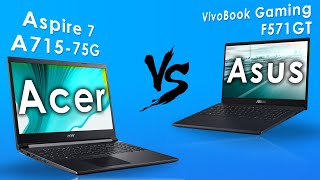
Acer Aspire 7 A715-75G vs Asus VivoBook Gaming F571GT | Lap Talk #6 (2020)
25 June 202050 754 view

️ Acer Aspire 7 (A715-75G) - disassembly and upgrade options
18 November 202142 417 view
Acer Aspire 7 Complete Detailed Desi Honest Review After a Week A715-75G-50SA i5 9th gen GTX1650
26 June 202031 481 view

Acer Aspire 7 Core i5 A715-75G-50SA Gaming Laptop | Killer Performance | Unboxing & Review [Hindi]
7 November 202013 097 view

Acer 4GB Graphic Card Gaming Laptop Unboxing | Acer Aspire 7 A715-75G-50TA Laptop Unboxing | LT HUB
13 March 20227 189 view

Acer aspire 7 i5 10th gen Unbox Full review Gaming part 1, A715-75G-50TA/ A715-75G-41G
18 October 20216 528 view

Acer Aspire 7 - A715-75G-50SA Gaming Laptop ) unboxing video. 90+ FPS in CS GO
3 June 20202 190 view

Acer Aspire A715-75G (2022) | i5 10300H GTX 1650 - Review After 3 Month of Use
8 February 20221 138 view

ACER ASPIRE 7 A715-75G Gaming Laptop | ACER nailed it | Best Laptop Under Rs.60,000 ✔️✔️✔️
2 October 20201 106 view
Acer A715-75G Laptop Reviewएसर लैपटॉपIntel Laptop with 4GB NVIDIA GraphicsLaptop around 50000
5 August 2020419 view

#Unboxing #laptop Acer Aspire 7 Core i5 9th Gen - A715-75G-50SA Gaming Laptop
7 April 2021135 view
I would first recommend updating the BIOS
Link to BIOS v. 1.03 (and drivers):
https://www.acer.com/ac/ru/RU/content/support-pro
duct/8336?b=1&pn=NH.Q88ER.004&sn=NHQ88ER004019169433400Enter the BIOS (hold F2 when turning on (loading)).
Go to the Main tab
Select Keyboard backlight timeout.
Enable Disable.
Press F10 and Enter.
Enjoy.
P.S. Somehow this issue is still not resolved on Russian-language tech blogging on YouTube. In reviews, they still report: "We couldn't figure out how to keep the backlight from turning off."